Your Claude usage,
at a glance
A quiet monitor that lives in your menu bar. It watches your quota so you don't have to.
Universal binary · macOS 13+ · No dependencies
Thoughtful monitoring,
not just numbers
Pace tells you what your usage means and what to do about it.
Recommendations
One-line advice that adapts to your situation — "safe to continue", "slow down", "wait for reset", or "try Sonnet for lighter tasks".
Depletion forecast
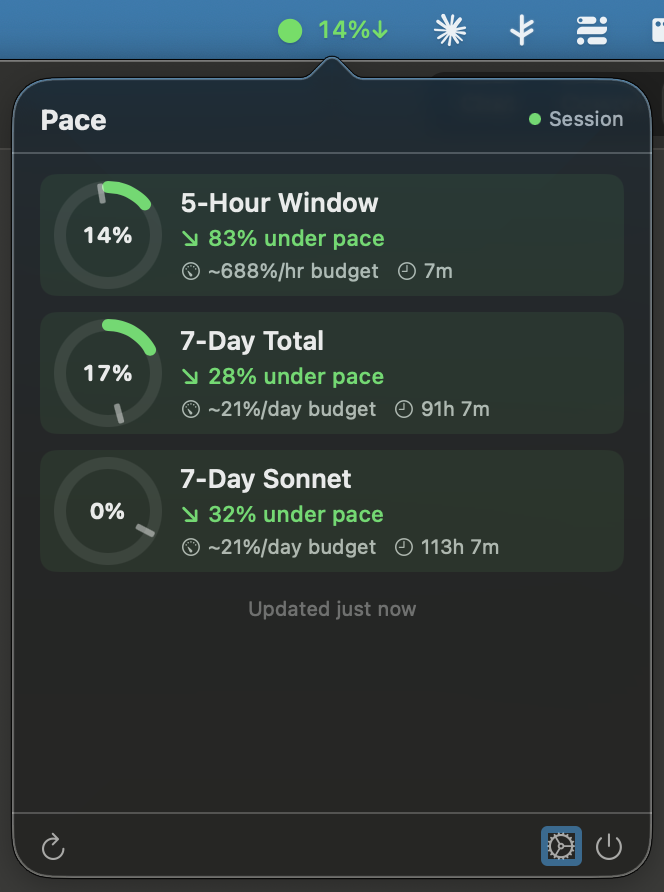
Shows when you'll hit the limit at your current rate, like "Limit in ~1h 20m". Plan around it instead of running into it.
Pace tracking
Compares actual usage against expected burn rate. The gauge and arrow show if you have room to go or need to ease off.
Hourly budget
How much quota you can afford per hour for the rest of the window. A concrete number to pace yourself by.
Auto-detect login
Reads your session cookie from Chrome, Arc, Edge, or Brave directly. No tokens, no config files, no browser extensions.
Smart alerts
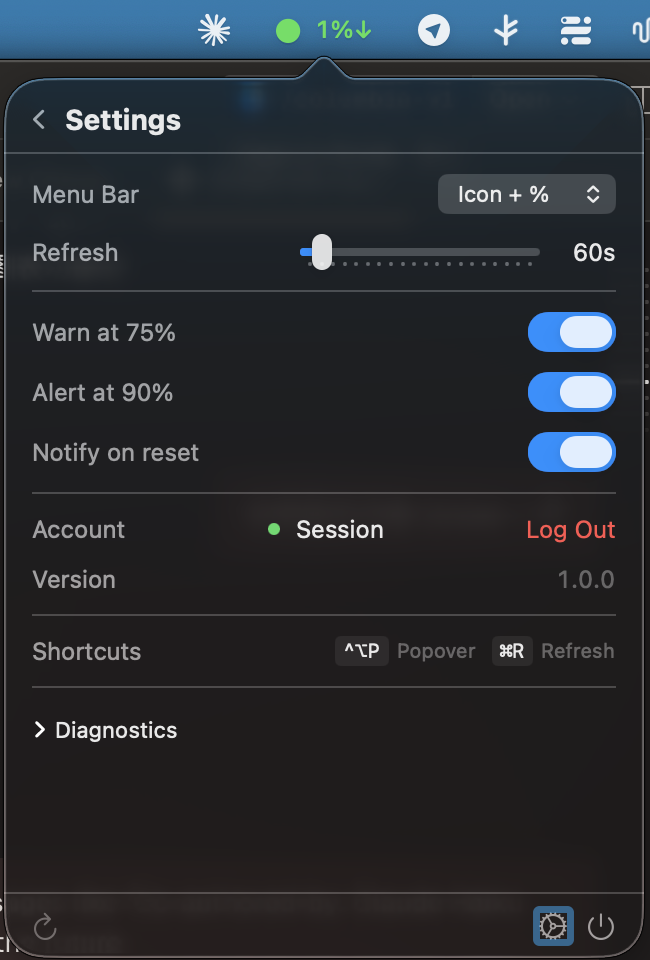
Native macOS notifications when usage hits 75% and 90%. Fires once per threshold so you're informed, not spammed.
Local history
30 days of usage snapshots stored in SQLite on your machine. Your data never leaves, and it's ready for future trend charts.
Keyboard driven
Ctrl+Option+P toggles the popover from any app. Cmd+R refreshes instantly. Built-in diagnostics panel for troubleshooting.
Running in thirty seconds
No account, no config, no browser extension.
Download and open Pace.app
Drag to Applications or run from anywhere. macOS 13+.
Log in to claude.ai in your browser
Chrome, Arc, Edge, or Brave. Any profile.
Click "Auto-detect from Browser"
Grant Keychain access once. That's it.
Use Claude with intention
Stop wondering if you're about to hit a wall.